
List View Structure
Package: BASIC
1. General
In the list view of a module, the records are displayed row by row. The number of records per page, the fields shown for the individual columns as well as any sorting and filters can be freely configured.
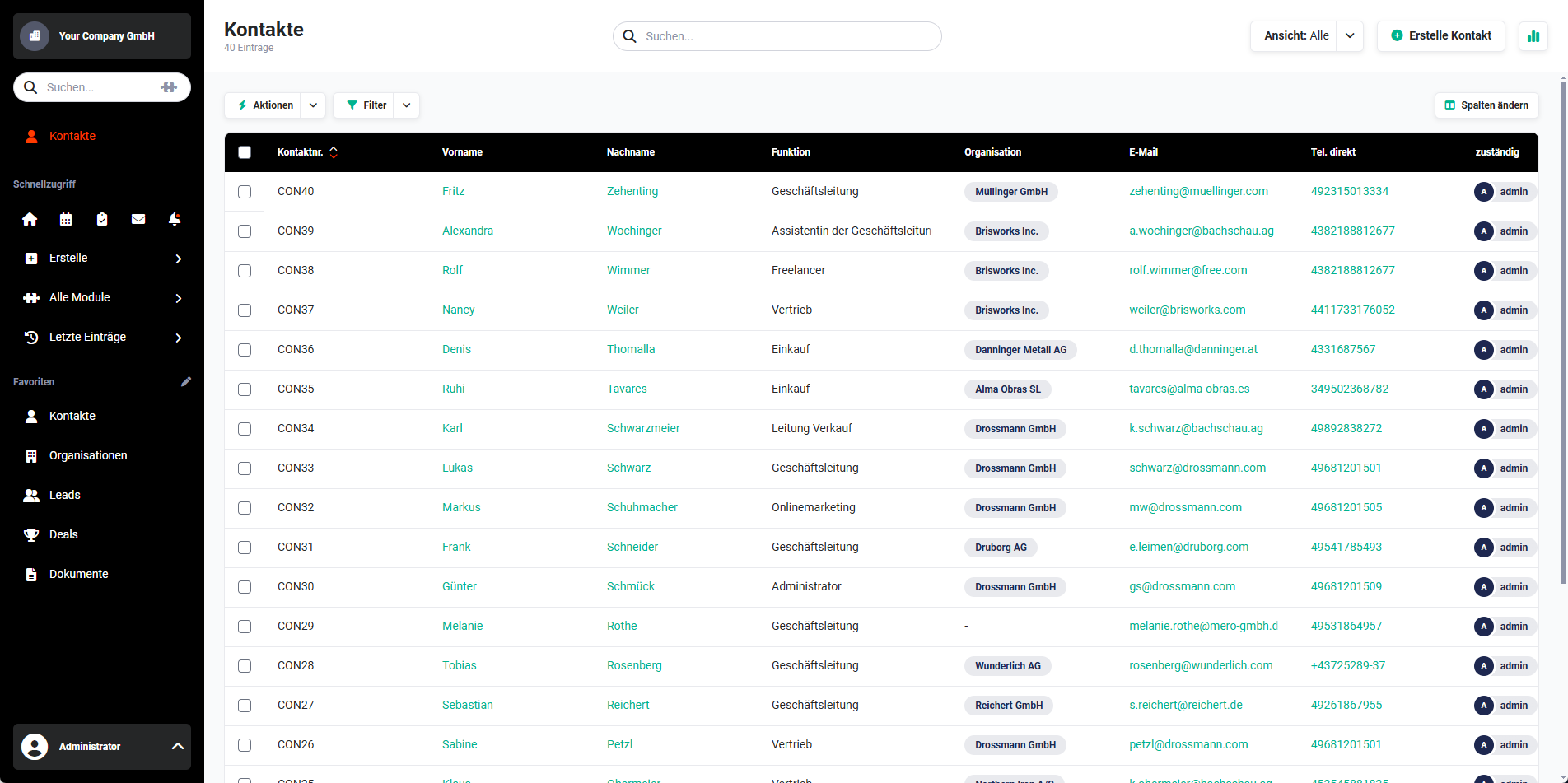 List view module
The width of a list view can - depending on the screen resolution - be larger than the window width of the browser.
To avoid having to first scroll to the end of the list to move the horizontal scroll bar with the mouse when there are many list entries, key combinations or the mouse can be used. These depend on the operating system used:
- Windows → Shift key + mouse wheel
- Apple → scroll horizontally using the mouse
2. List View Functionalities
The following functionalities and setting options are available in a module's list view:
Detailed information on the individual points can be found in the respective linked sections in the handbook.
Which functionalities and setting options are available in a list view is module-dependent.
For a detailed listing of which functionalities and setting options are available in which module, please refer to the section [Modules]().
Certain actions can also be allowed/disallowed for specific users via the permission settings. For detailed information on this, see the section [Global Settings - Users and Permissions]().