
Create Record
Package: BASIC
1. General
To be able to quickly create new records without first opening the relevant module, the navigation bar provides the “Create” functionality.
2. Module selection for record creation
The flyout menu – which lists all modules – opens either on mouseover or by clicking the action link “Create”. When you click a module name in the flyout menu, the “Create Module name” popup for quick record creation opens.
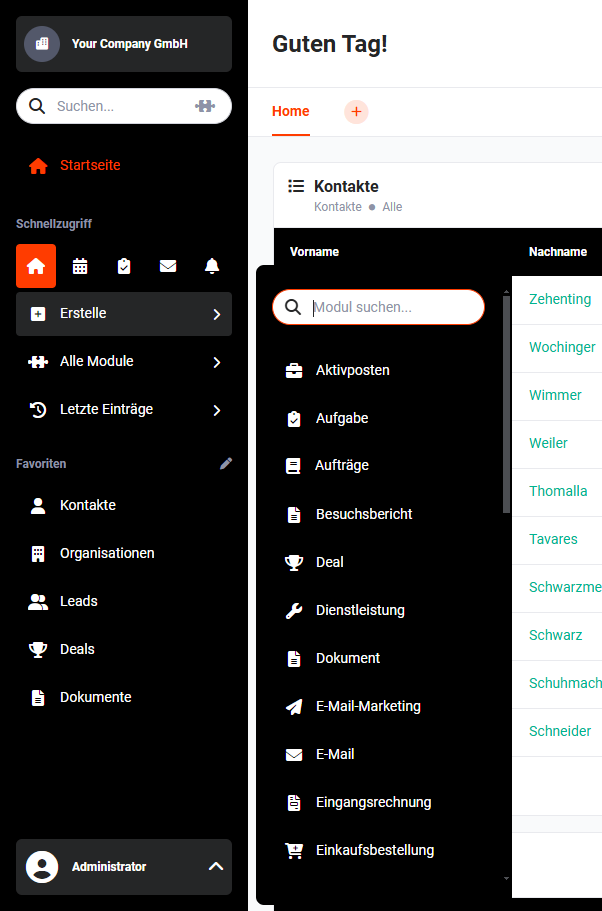 Create Record
The display of the “Create” action link requires that the respective user has the permission to create records in at least any one module.
After clicking a module name, the “Create Module name” popup for quick record creation opens. The popup contains the most important fields and blocks of the respective module.
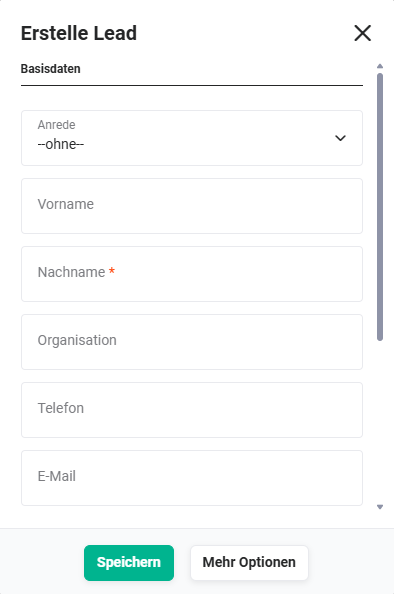 Example popup Create Lead
Special blocks – e.g. multiple bank details for Organizations or recurrence and invitations for Appointments – are not available in quick creation. For the full range of functions, the create view is available via the list view of the respective module.
3. Extended input
In the quick creation popup, a “More options” button is available, which allows switching directly to the extended input mask. The extended input mask shows all standard fields and blocks of the module – except special blocks.
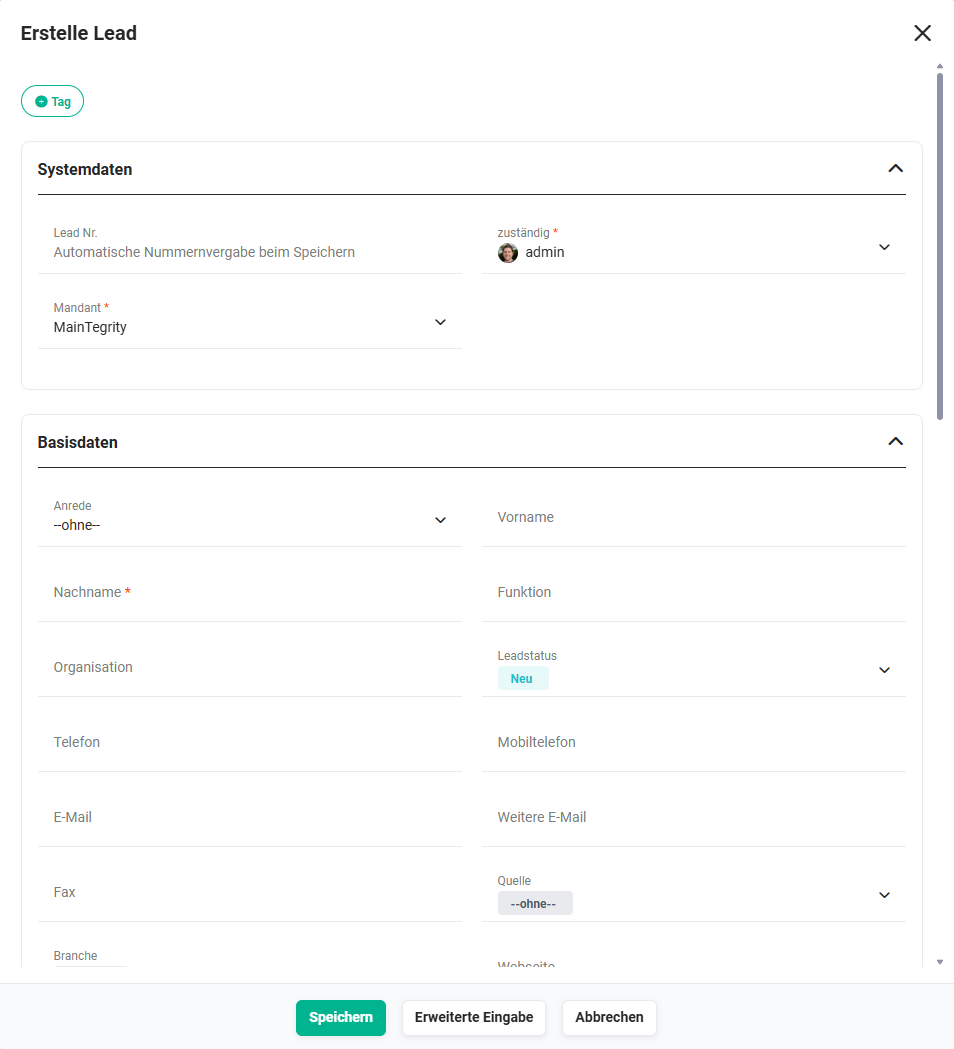 Example popup Create Lead - extended input mask
Via the “Extended input” button in the extended input mask, you can additionally switch to the full create view of the module, in case the entire range of functions is required.
Quick creation is not available in all modules. Whether a module supports quick creation depends on the module configuration.
If a record is created via the list view of a module, the full create view opens directly – regardless of the quick creation settings.
4. Quick creation in widgets
In widgets for linked lists (relations), quick creation is also available, provided the respective module supports quick creation. Here too, the extended input mask can be reached via the “More options” button, and the full create view via “Extended input”.
In My Settings – Basic Settings you can configure per module whether quick creation opens directly with the extended input mask.